In handheld version 11.5.15 we added a new Feature called Isolation Room.
If you want to mark a room as Isolated for some time, you can enable this option from the settings screen.
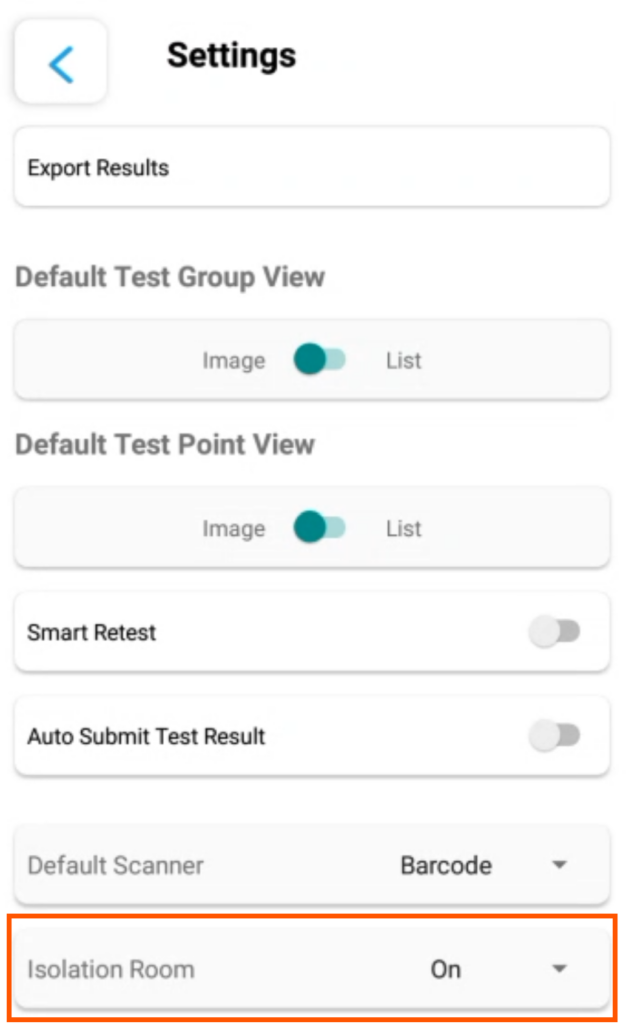
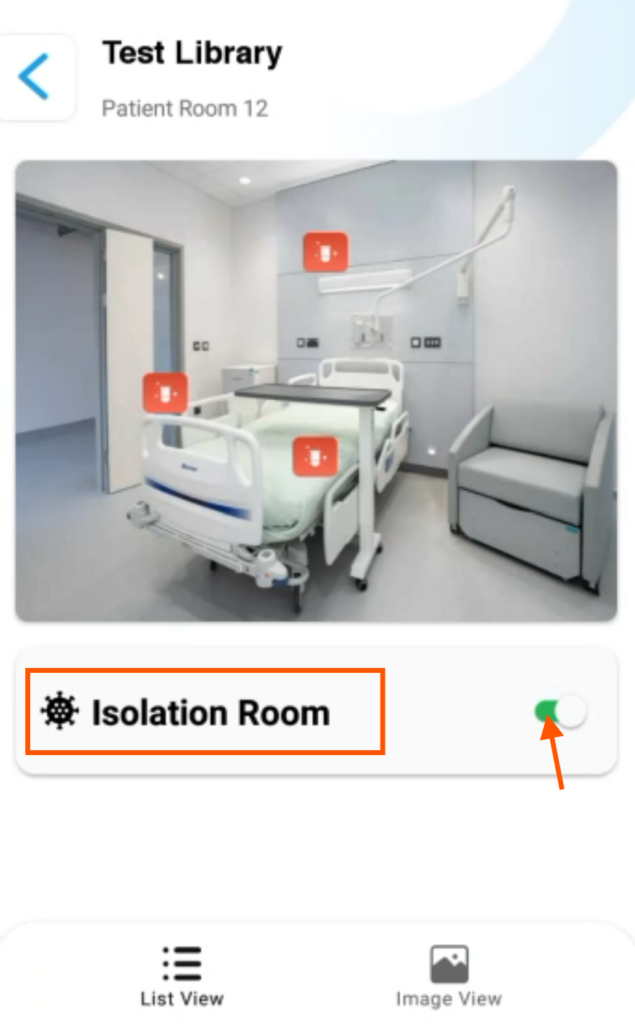
After enabling the Isolation Room option on the settings screen, you will see an Isolation Room switch per test group, if you turn it on it will mark all test results for that test group (Room) as Isolation room and then you can filter those test results on the RLU Analytics report in the web portal.
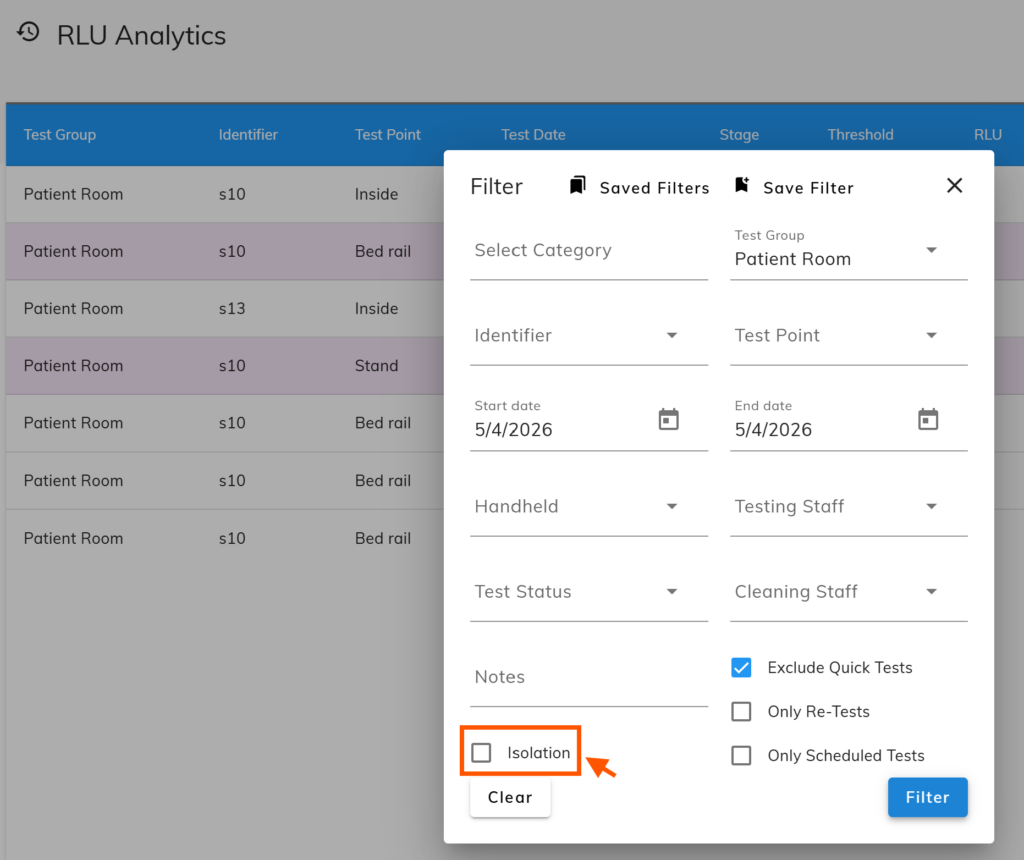
RLU Analytics new filter option for Isolation Room
Leave a Reply
You must be logged in to post a comment.