Starting with version 2026-Q3-V2, we’ve introduced a new Auto-Logout feature to help improve account security.
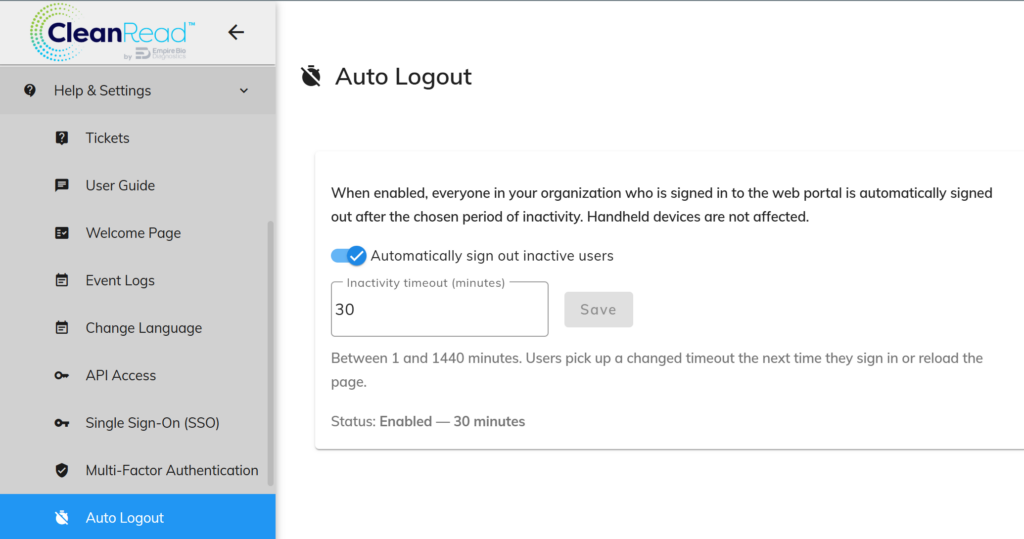
By default, this feature is disabled. When enabled, you can configure the portal to automatically log users out after a specified period of inactivity.
This setting is available only to top-level administrators.
To access the Auto-Logout settings, navigate to Help & Settings > Auto-Logout, as shown in the screenshot below.
Leave a Reply
You must be logged in to post a comment.