Handhelds don’t always have a good way online. Sometimes the Wi-Fi signal in the room is weak or drops out. Sometimes the network is reserved for approved devices, or IT policy keeps test equipment off the internet altogether. Either way, results stayed on the handheld until someone carried it somewhere with a connection.
CleanRead Connect fixes that. It’s a small Windows program that lets a CleanRead handheld sync through a computer that already has internet access. Plug the handheld into the computer with its USB cable, and it syncs with the CleanRead cloud as if it were online itself. A wired connection to the computer doesn’t care how good the Wi-Fi is in the room.
How it works
- Install CleanRead Connect on a Windows computer that has internet access. Download it here: https://rctestnow.com/files/CleanRead/connect/CleanReadConnect-Setup.exe. The installer sets everything up, including the Windows Firewall rule, and runs it as a background service that starts with the computer. Nobody needs to log in or launch anything.
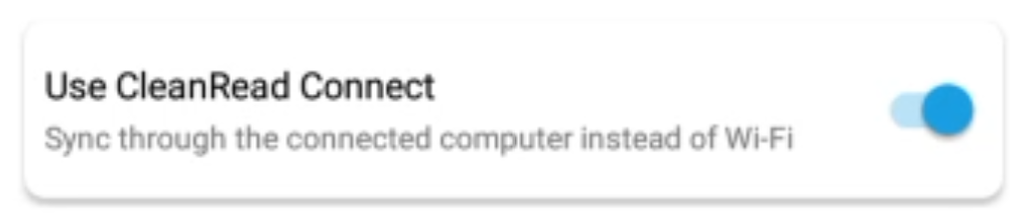
- Turn on “Use CleanRead Connect” in the handheld’s settings. From then on the handheld looks for CleanRead Connect whenever it’s plugged into a computer. If you don’t see this option, update the handheld first from the same settings screen, then look again.
- Plug in and sync. When the handheld finds CleanRead Connect it tells you: CleanRead Connect is ready. You can sync. That’s it.
Checking that everything is working
CleanRead Connect puts a shortcut on the desktop. Opening it shows a simple status page: whether the service is running, whether the computer has internet, whether the CleanRead cloud is reachable, and whether the firewall allows the connection. Green means good. If something needs attention, the page says what.
If support ever asks for logs, the same page has a button that saves them as a single file you can email. No digging through folders.
Updates take care of themselves
CleanRead Connect checks for new versions once a day and installs them on its own, with no interruption to the handheld. The status page shows the installed version and the last check.
For IT departments
- Runs as a Windows service on port 5049 and adds one inbound firewall rule for itself.
- Needs outbound HTTPS access to
rctestnow.comand all of its subdomains only. - Honours the system proxy, including proxies that require Windows authentication.
- Silent install for scripted rollout:
CleanReadConnect-Setup.exe /VERYSILENT /SUPPRESSMSGBOXES /NORESTART - The installer and the program are code-signed by Empire Bio Diagnostics.
Already using ATP Proxy?
CleanRead Connect replaces it. Run the CleanRead Connect installer on the same computer and it removes the old version and takes over. No settings to migrate.
Questions? Contact CleanRead support.
Leave a Reply
You must be logged in to post a comment.